Like Google Drive, but private!
and under your full control
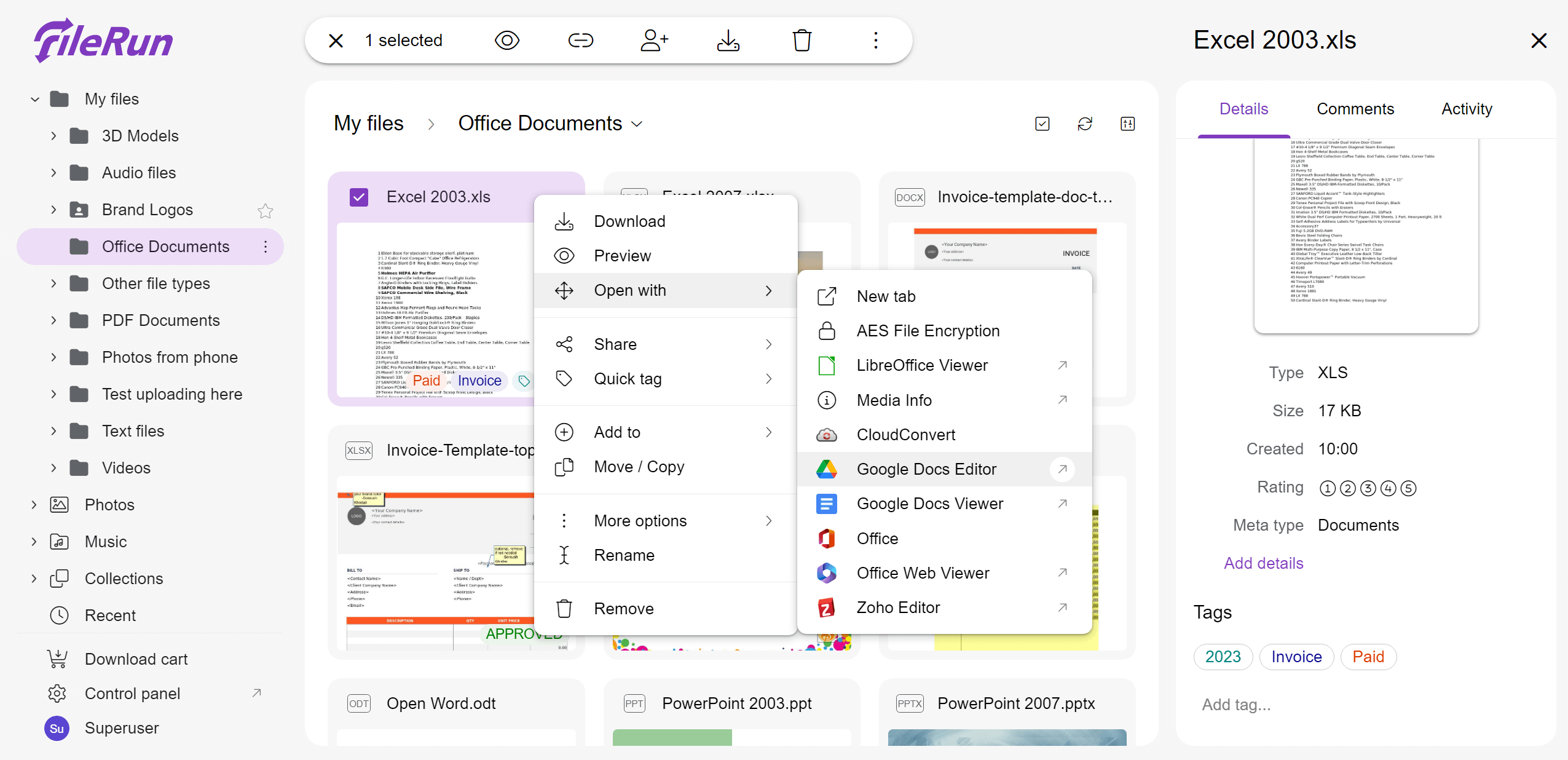
No import required
Just like you do with an FTP server, point FileRun to where you keep the files on your server, and you will get instant web access to them.
Want to access your files also by other means you have configured (such as FTP or SMB for example)? No problem. Upload, download or manage the same files.
All changes made to the files using FTP or other methods reflect via FileRun without delay.
Desktop sync
Sync files using desktop apps.
Access your files from wherever you are using the compatible mobile apps.
Access via WebDAV. FileRun comes with its own embedded WebDAV server. No server configuration needed.
Great for photos
Fast thumbnail and preview generation. On the fly, while browsing folders.
Timeline browsing, sorting photos and videos cronologically.
Supports all file types that you can think of, video files included.
Group photos together, from various folders, in virtual albums that you can share online.
Metadata support
It automatically extracts and index information Exif, XMP and IPTC, so you can search photos by keywords, dates, author and more.
Add custom metadata fields for any additional information you would like to attach to the pictures. This information can either be automatically extracted from the files, or manually typed by you.
Virtual Drive
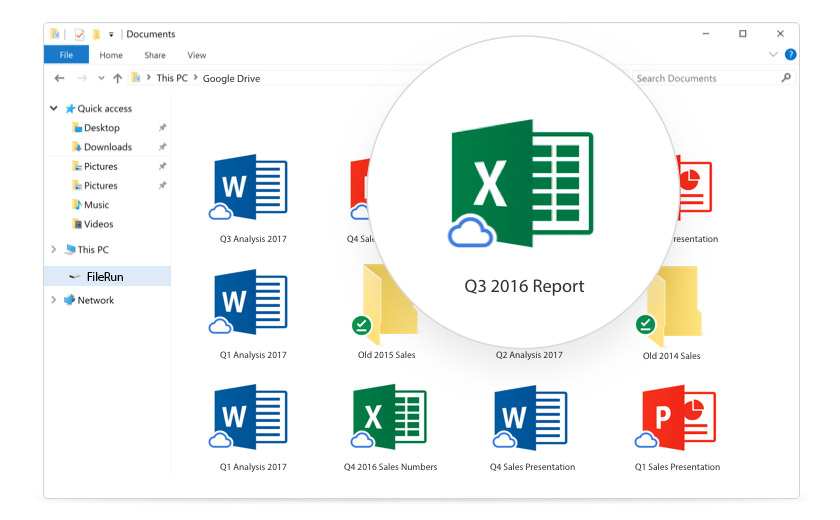
The new virtual drive gives you access to files directly from your computer, without impacting all of your disk space.
Spend less time waiting for files to sync and more time being productive.
Guest users
Collaborate with other people without creating accounts for them.
Getting feedback on documents, photos or any type of file has never been this easy.
Send file requests
File requests allow you to collect and receive files from anyone, right into your FileRun user account, with just a link.
File requests are ideal for receiving a large file or collection of files, collecting photos after a special event, and requesting submissions from coworkers and clients.
Various plugins:
Google Docs Editor
Create and edit Office files.Zoho Editor
Create, edit and preview Office files.ONLYOFFICE
Create, edit and preview Office files.Edit CSV, Markdown, HTML, etc.
Create, edit and preview various types of text files.Manipulate PDF documents
Merge multiple documents into one. Split documents and extract pages.Google Docs Viewer
Preview PDF and Office files.Office Web View
Preview Microsoft Office files.LibreOffice Integration
View thumbnails and preview all types of office files, in the privacy of your own server.Autodesk
Preview CAD files.EPUB
Read e-books, with support for tablets. Allows you to bookmark pages and reopen books from where you left them.CloudConvert
Convert files from one format to another.Zamzar
Convert files from one format to another.3D
Preview 3D models in various format: OBJ, FBX, MTL, STL, DAE, X, GLTF, GLB, 3DS, 3MFImage editor
Crop, resize and rotate images. Adjust their brightneess/contrast/saturation and more.Fantastic mobile support
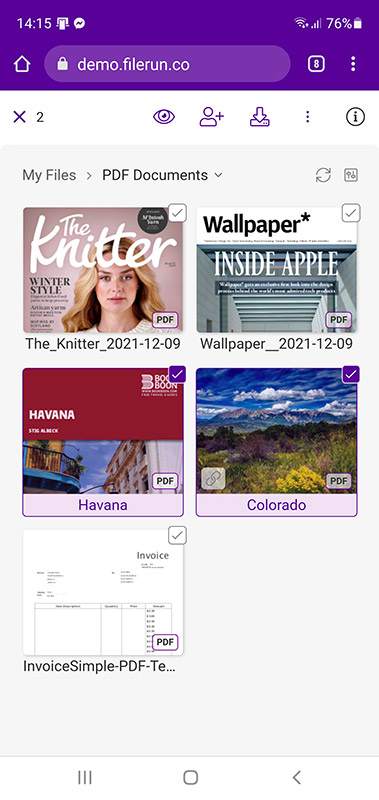
Nothing to install, just open FileRun in your mobile browser.
It adapts to screens of any size to provide a smooth and intuitive experience..
It works on tablets and smartphones just like you would expect from a native app.
Fast loading, easy browsing, while preserving all the powerful features.
Extendable
PHP web developers can develop plugins for viewing, creating or manipulating files.
The OAuth2-secured API can be used for programmatically interacting with FileRun, or creating more apps for accessing your files.
Safe
The automatic file versioning system prevents you from accidentally overwriting existing files.
Deleted files first end up in a trash folder before they get permanently erased.
100% Your branding
Choose one of the included color presets, or customize your own. Background images, colors, logos, all can be customized to match your own branding.
Secure
XSS and CSRF protection.
SQL injections protection.
Session Hijacking protection.
Brute force login attempts protection.
The users input is strictly validated to prevent access outside the allowed folders.
The files can be stored outside the public area of the web server (ie. outside the "www" folder) to protect them from direct access.
100% support for HTTPS/SSL.
Loaded with features
| Free Desktop sync apps | ✅ |
| Free Mobile apps | ✅ |
| OAuth2 API | ✅ |
| WebDAV access | ✅ |
| Share with link | Unlimited |
| File requests | Unlimited |
| Share with users | ✅ |
| Full text file indexing and searching (Allow files to be searched by content) |
✅ |
| 2-Factor authentication | ✅ |
| User roles and groups | ✅ |
| Branding options | ✅ |
| Themes | ✅ |
| File space quotas | ✅ |
| User activity feed | ✅ |
| Per file activity log | ✅ |
| File locking Users can lock files so other users do not make changes to them. |
✅ |
| Enable per-folder notifications Choose the folders that you wish to receive notifications about. |
✅ |
| Allow the users to edit the e-mail address they are sending files from. | ✅ |
| Pusher.com integration For real-time notifications |
✅ |
| User sign-up process With e-mail account verification, admin approval, etc. |
✅ |
| Authentication integration
LDAP, Active Directory, WordPress, Joomla, Drupal, etc |
✅ |
| SAML/Shibboleth authentication | ✅ |
| SSO | ✅ |
| Accounts expiration dates | ✅ |
| Password policy manager | ✅ |
| Import user records Provides options for mapping fields from existing CSV files |
✅ |
| Users with administrative privileges | ✅ |
| Isolated admin accounts / Multitenancy They see and manage only their own user accounts |
✅ |